Cart
Cart
 Track
Track
 Login
Login


Check Software Version Status
STEP 1
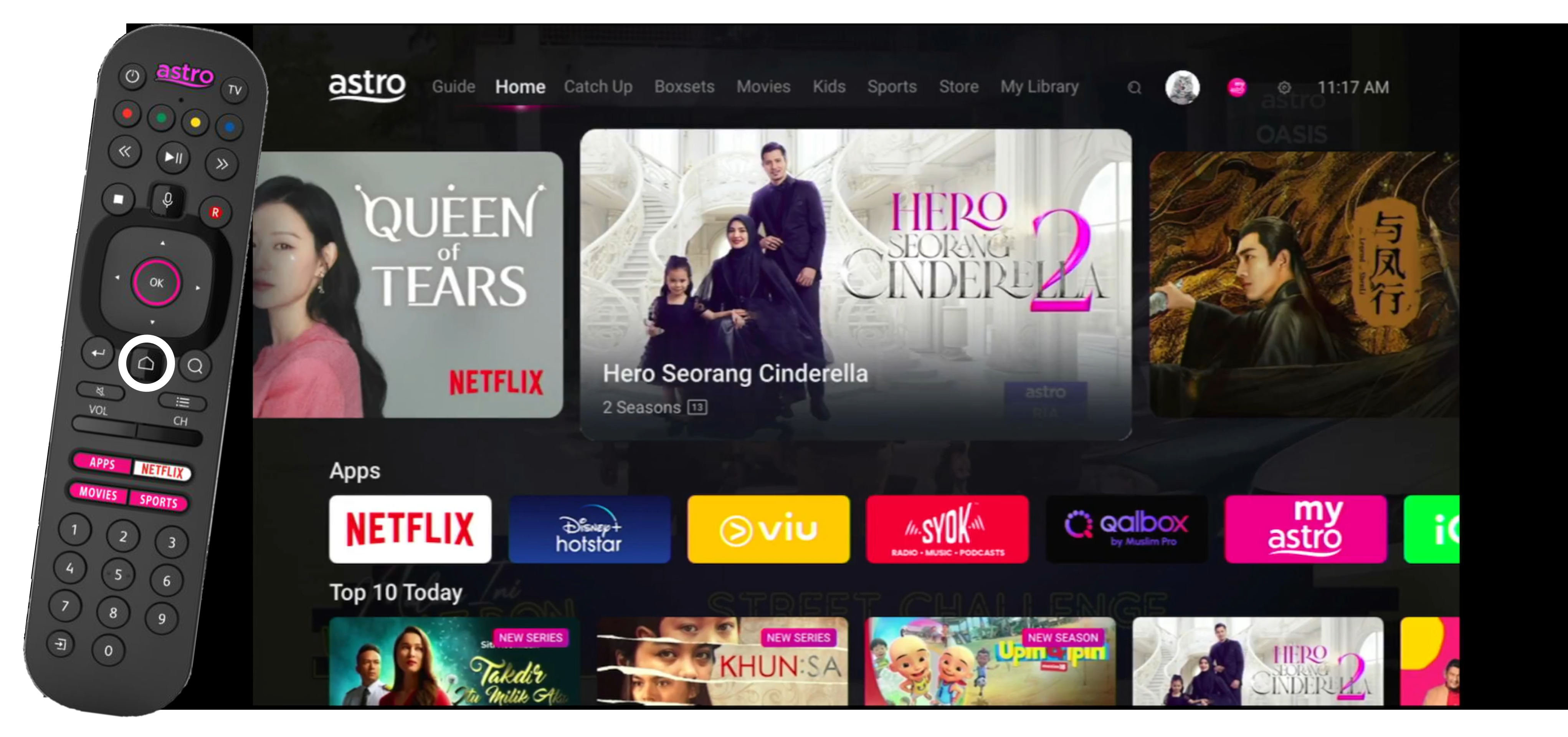
On your Astro remote, press the HOME button and the home menu will be displayed on top of your screen.
STEP 2
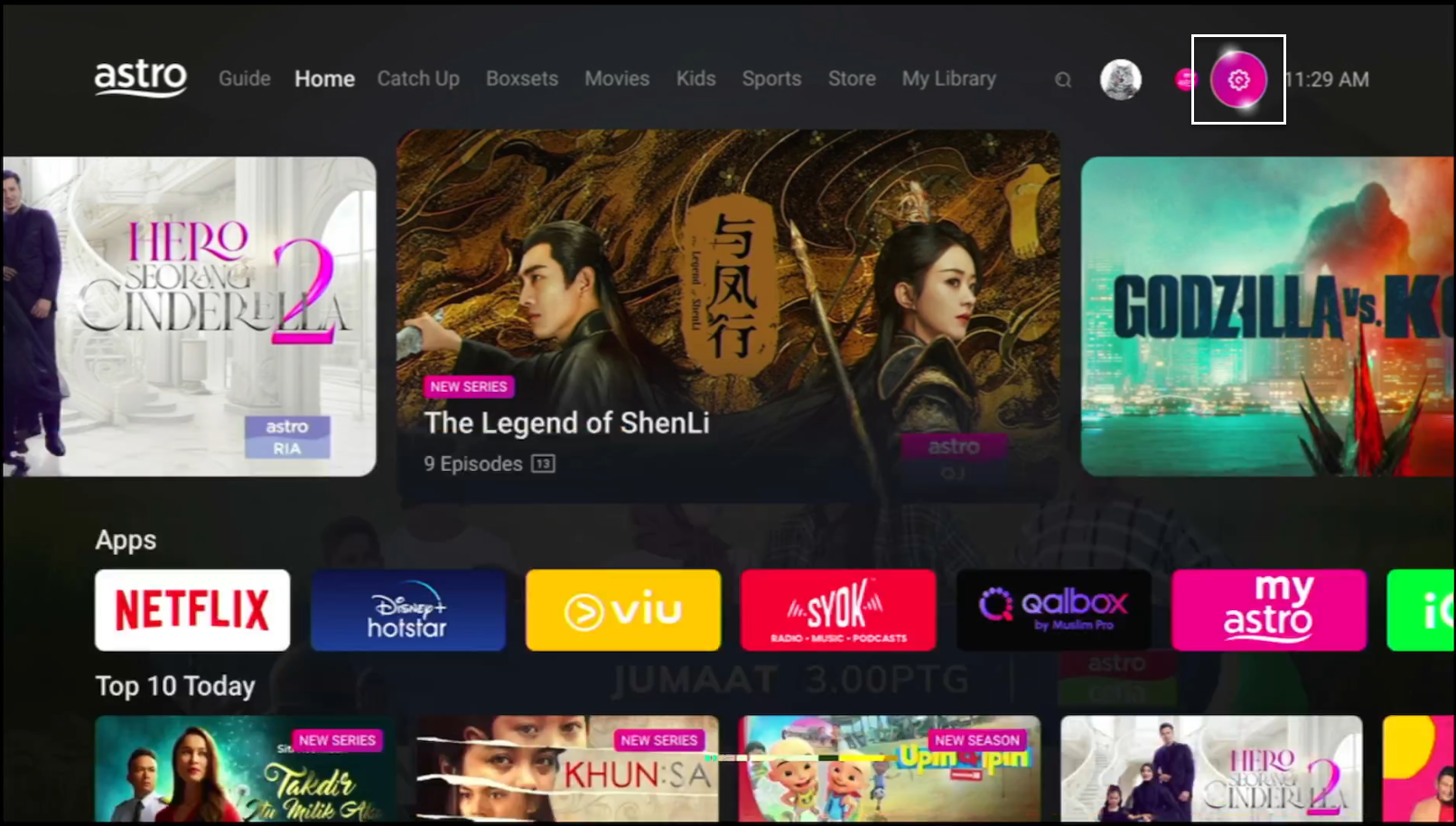
Navigate to Settings.
STEP 3
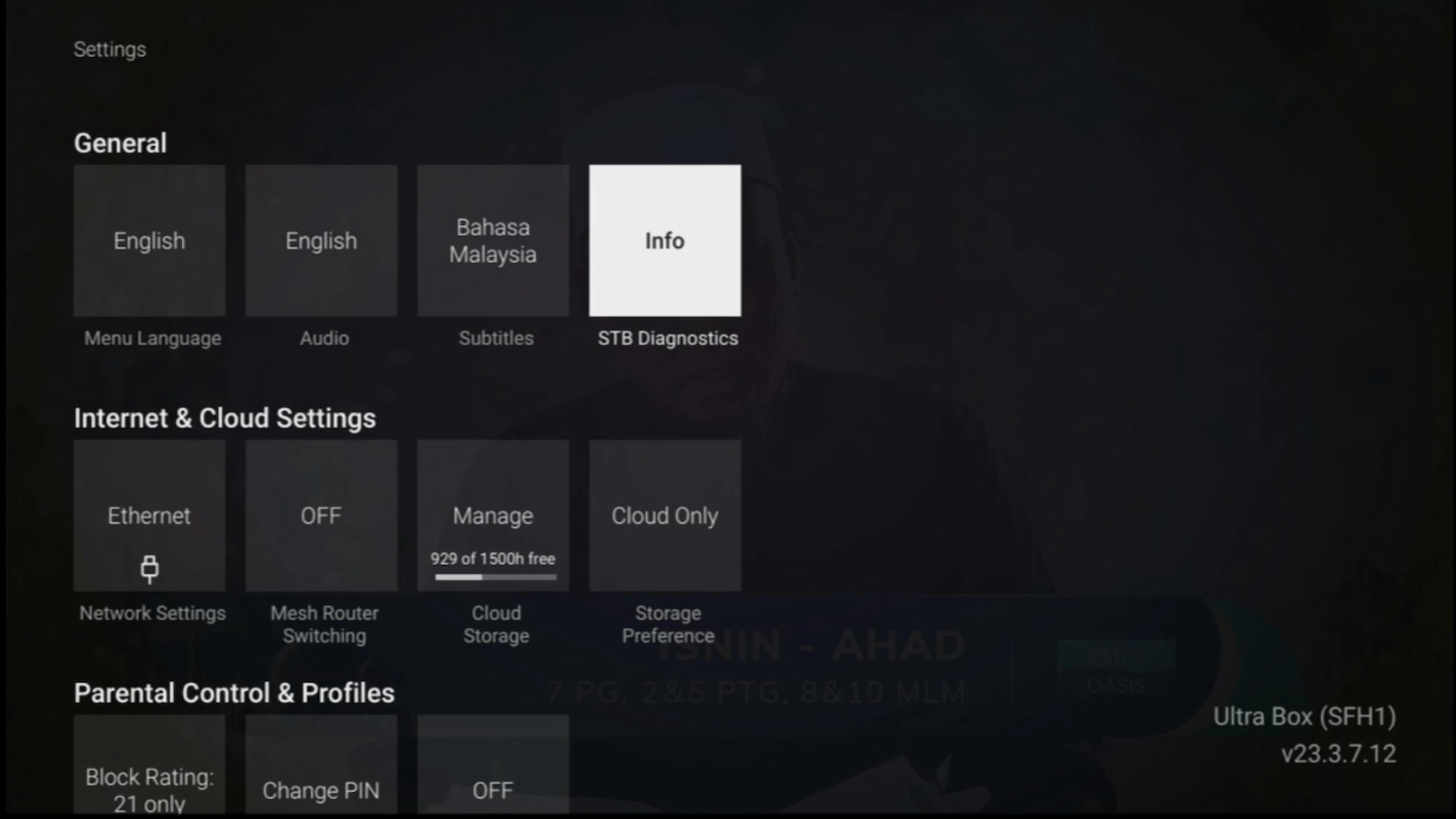
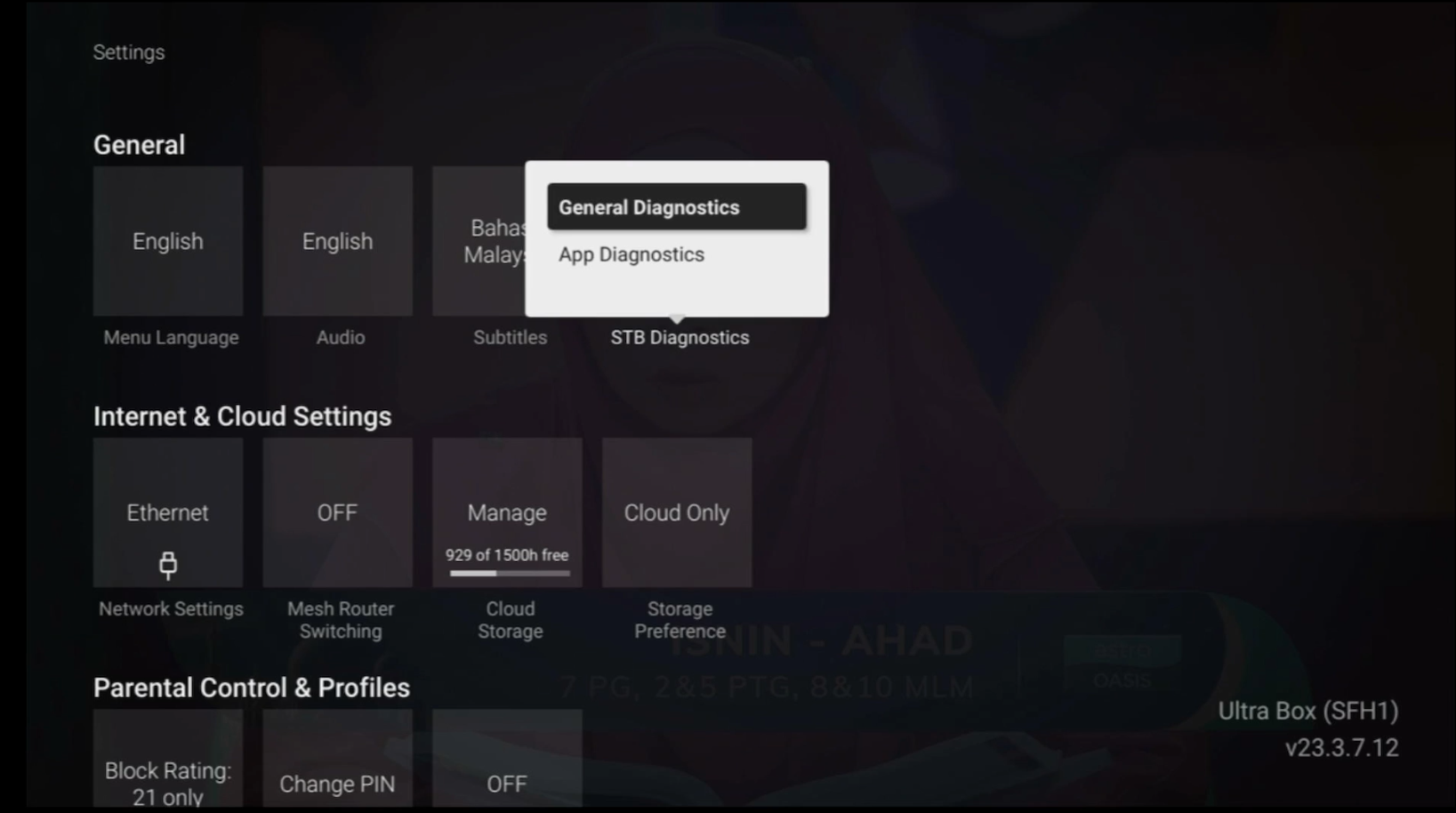
Navigate to STB Diagnostics and press "OK".
STEP 4
Select General Diagnostics and press "OK".
STEP 5
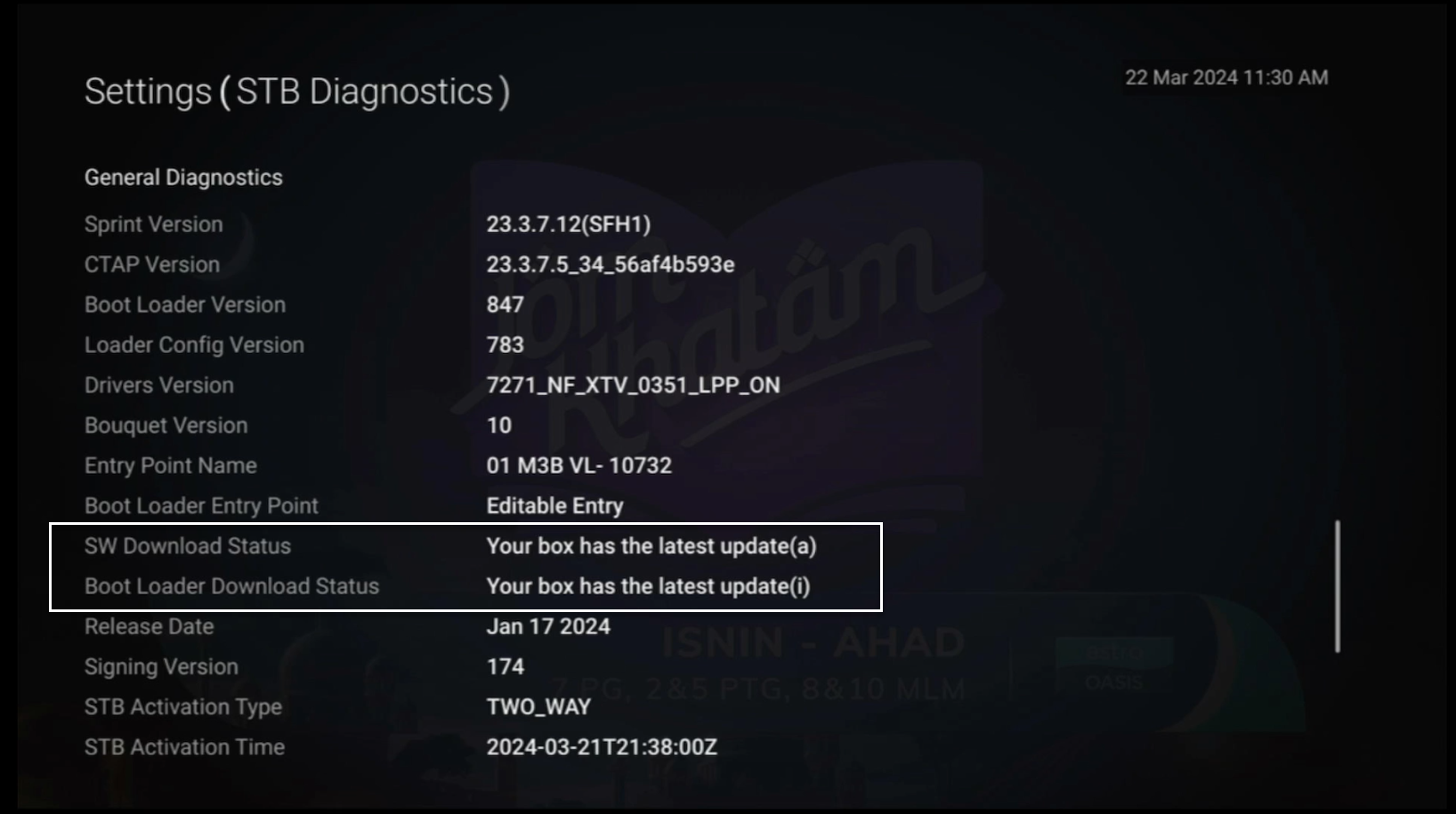
General Diagnostics results will be displayed on the screen.
Scroll until observed the SW Download Status.