Cart
Cart
 Track
Track
 Login
Login


Pixelation or Distortion Picture - HD enabled Box
You can proceed with below troubleshooting if the weather is good. Ortherwise, you may try again later.
STEP 1
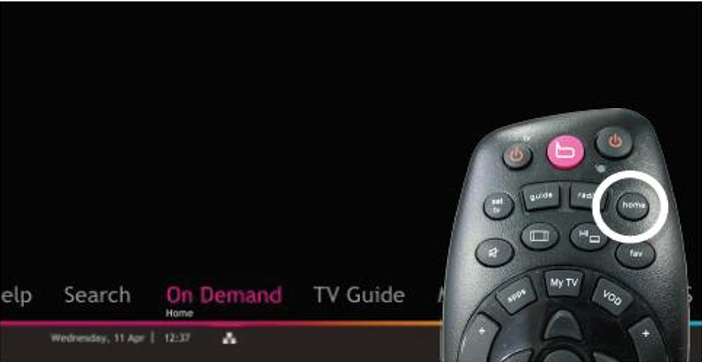
On your remote, press the “HOME” button and the home menu will be displayed at the bottom of your screen.
STEP 2
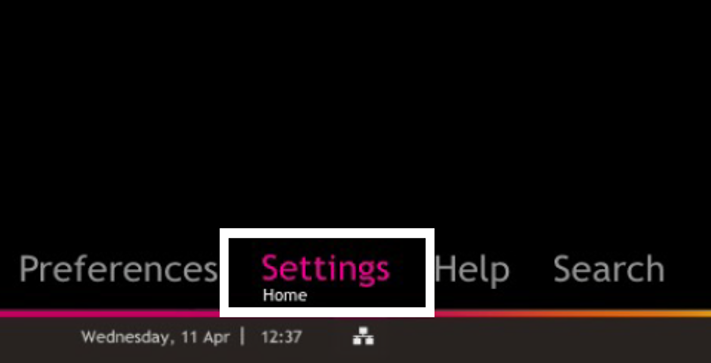
Navigate to SETTINGS and press “OK”.
STEP 3
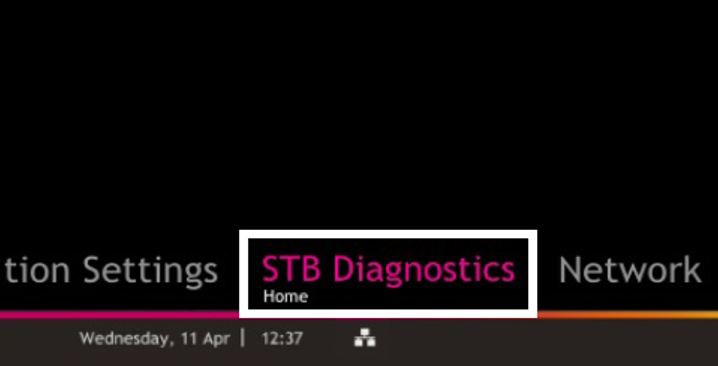
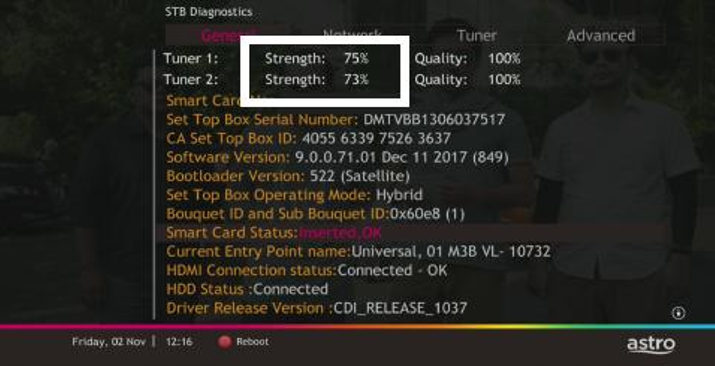
Navigate to STB DIAGNOSTICS and press “OK”.
STEP 4
Refer to the signal strength % shown on the top left of your screen.
If it is 65% or higher, please go to WhatsApp to receive further help.
If it is below 65%, please go to STEP 5.
STEP 5
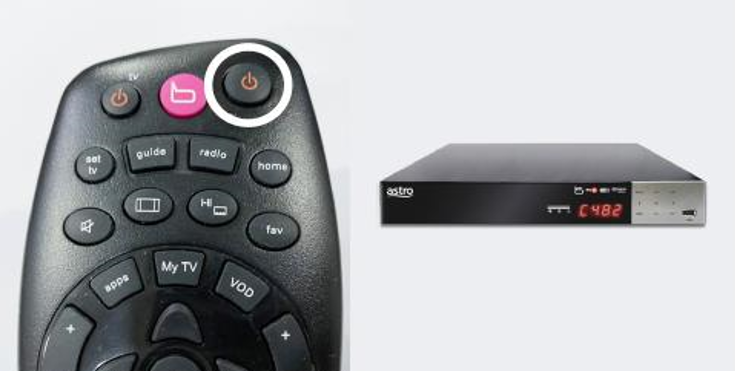
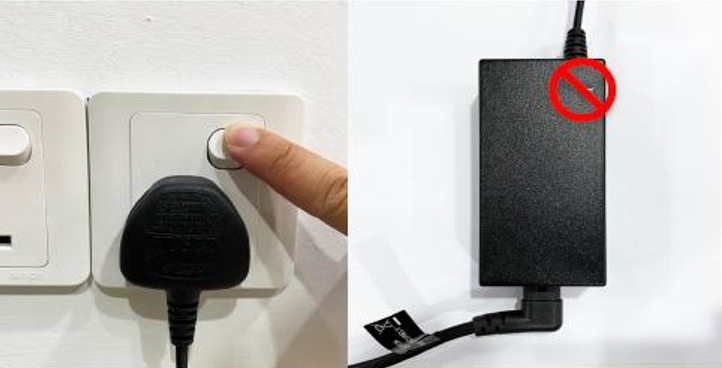
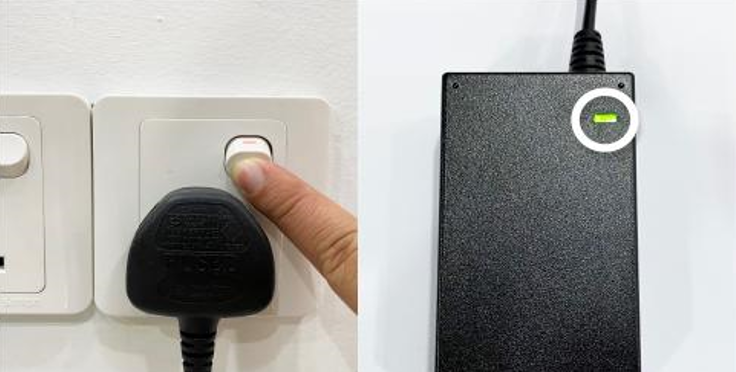
Switch off the power for your box and make sure that the adapter’s power light is off.
STEP 6
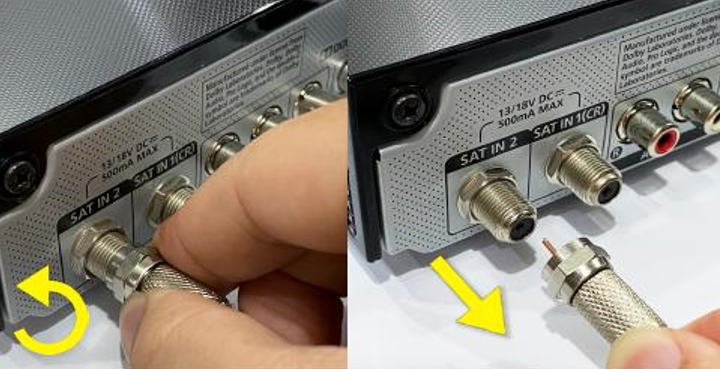
Unscrew the satellite cable from the box and pull it out.
STEP 7
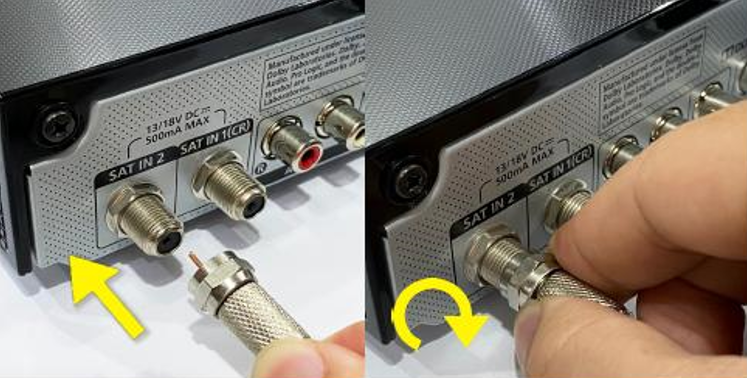
Plug the satellite cable back into the box and screw it back securely.
STEP 8
Switch on the power for your box and make sure that the adapter’s power light is on.
Please wait for 5 minutes.
STEP 9
Turn on your box. You should no longer be experiencing this issue.
If issue persist, please attach a picture of your General tab of the STB Diagnostics for assistance.
Centralized Dish
If issue persist under a centralised satellite dish, please refer to your respective Building Management before contacting our agents.