

 Cart
Cart
 Track
Track
 Login
Login


Set TV to sync to Astro remote control - HD enabled Box
STEP 1
Identify your remote control:
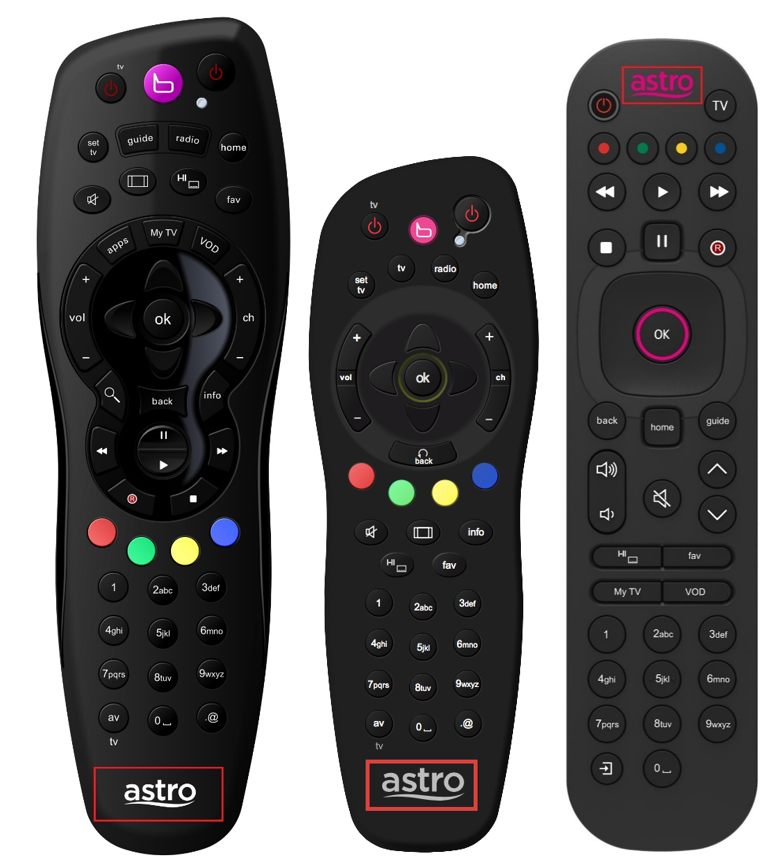
a) Remote control with Astro logo at the bottom of the remote, proceed to STEP 2.
b) Remote control with Astro logo at the top of the remote, proceed to STEP 4
STEP 2 (Astro Logo at the bottom of the Remote)
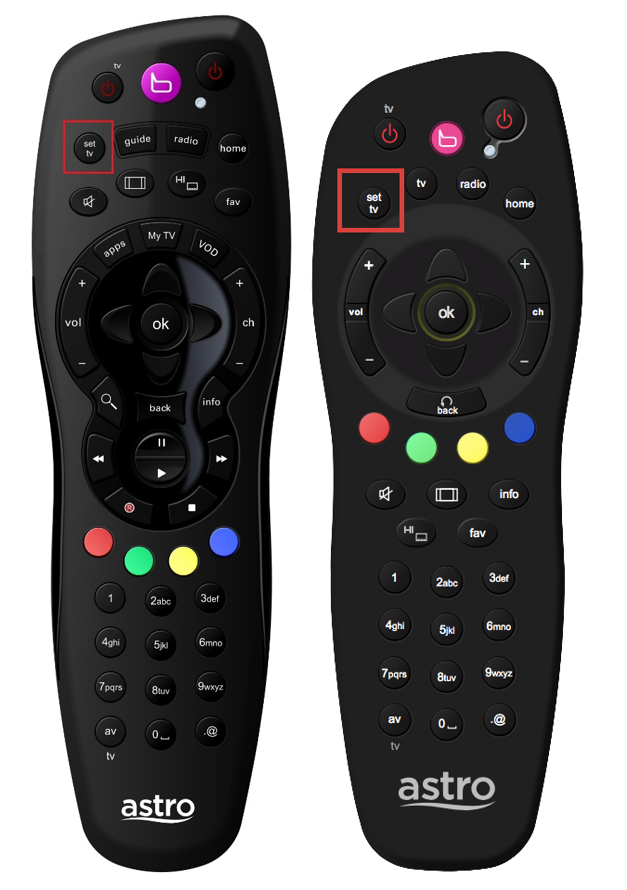
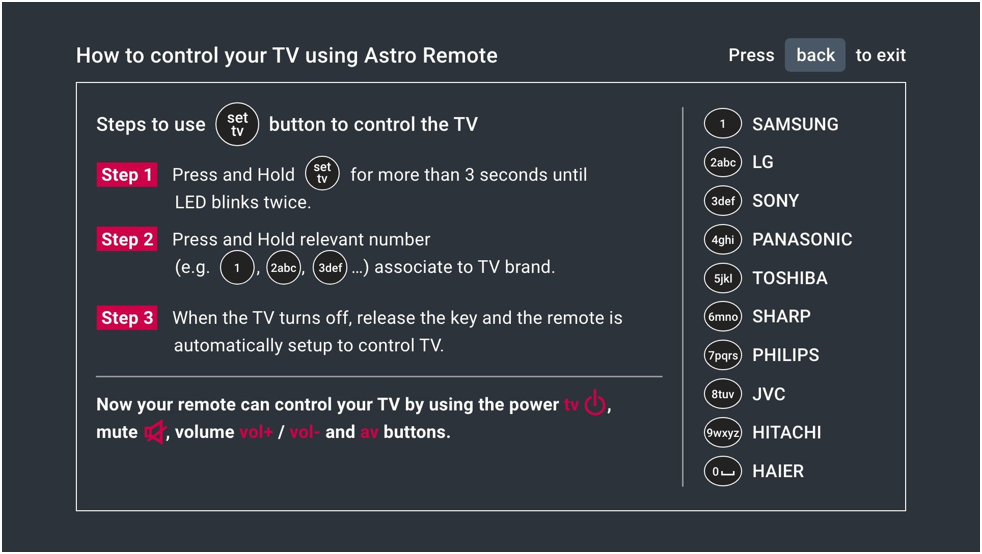
On your remote, press the “set tv” button and set tv instructions will be displayed on top of your screen:
STEP 3
Follow the steps appear on the TV screen to sync your Astro remote and complete the setup.
STEP 4 (Astro Logo atthe top of the Remote)
Press and hold “tv input” key on bottom left of the remote for 3 seconds until the LED blinks twice.

STEP 5
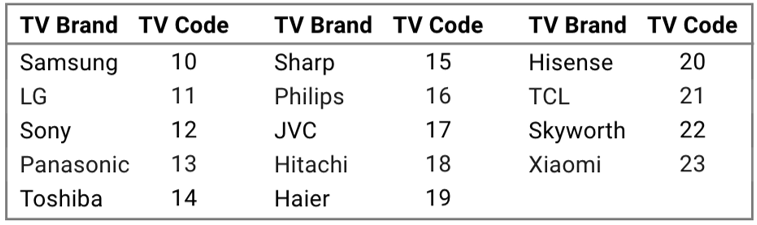
Enter the 2-digit TV Code of your TV Brand and the LED will blink twice:
STEP 6
Try out the TV controls (TV Standby or adjust Volume) to check if they are working correctly.

STEP 7
Press ok and wait for the LED to blink twice to save the settings.